Google Business Profile Monitoring
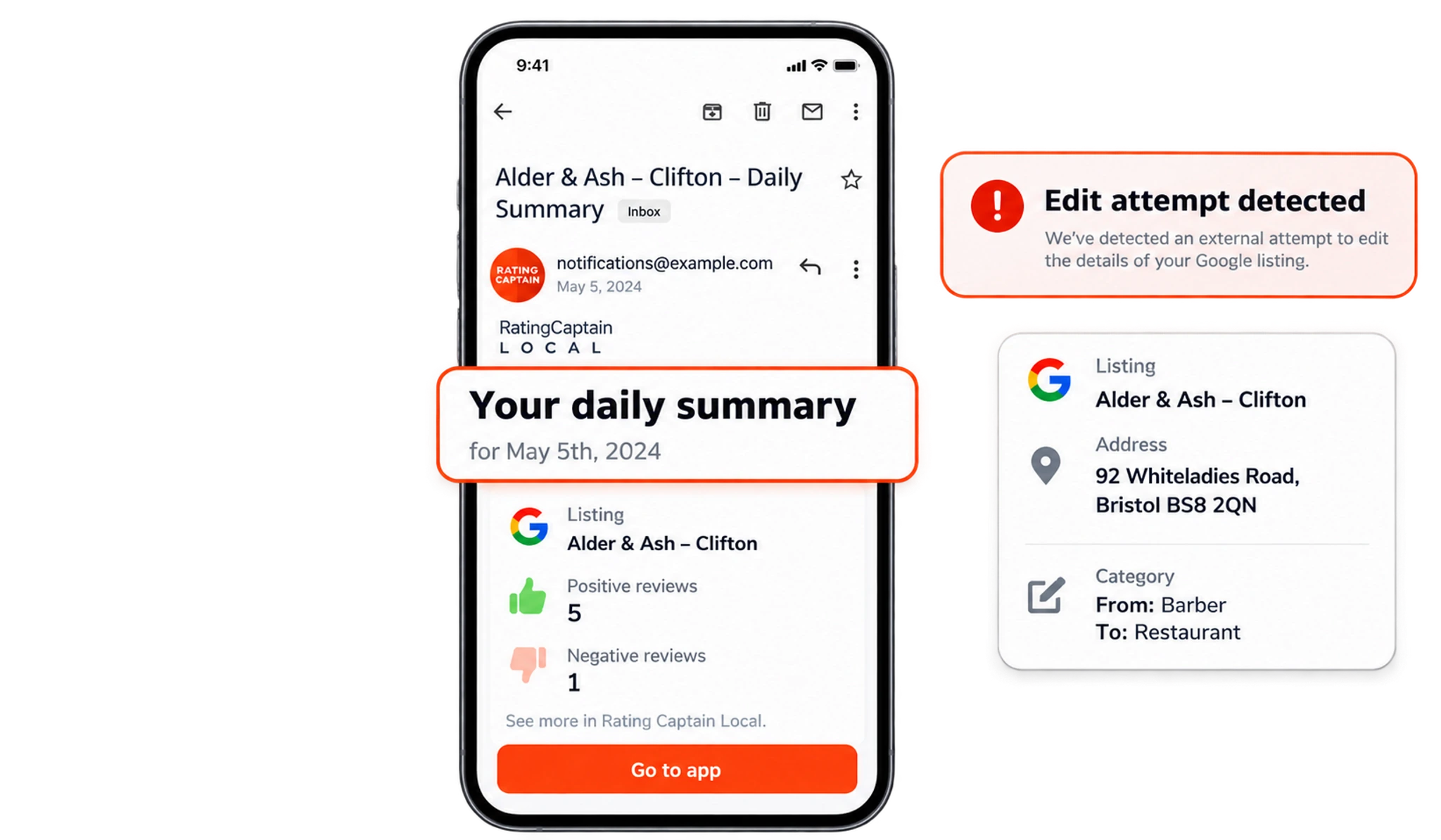
Rating Captain Local watches your Google Business Profile 24/7. When someone changes your name, address, hours or other details, the edit is undone automatically and you get an instant alert.
Catch and undo unwanted edits
Google Business Profile monitoring means checking your listing for changes that you did not make. Rating Captain Local watches your profile 24 hours a day, 7 days a week, and sends you an instant alert when your business details are modified. That includes edits suggested by Google, by competitors and by anyone else trying to change your name, address or opening hours.
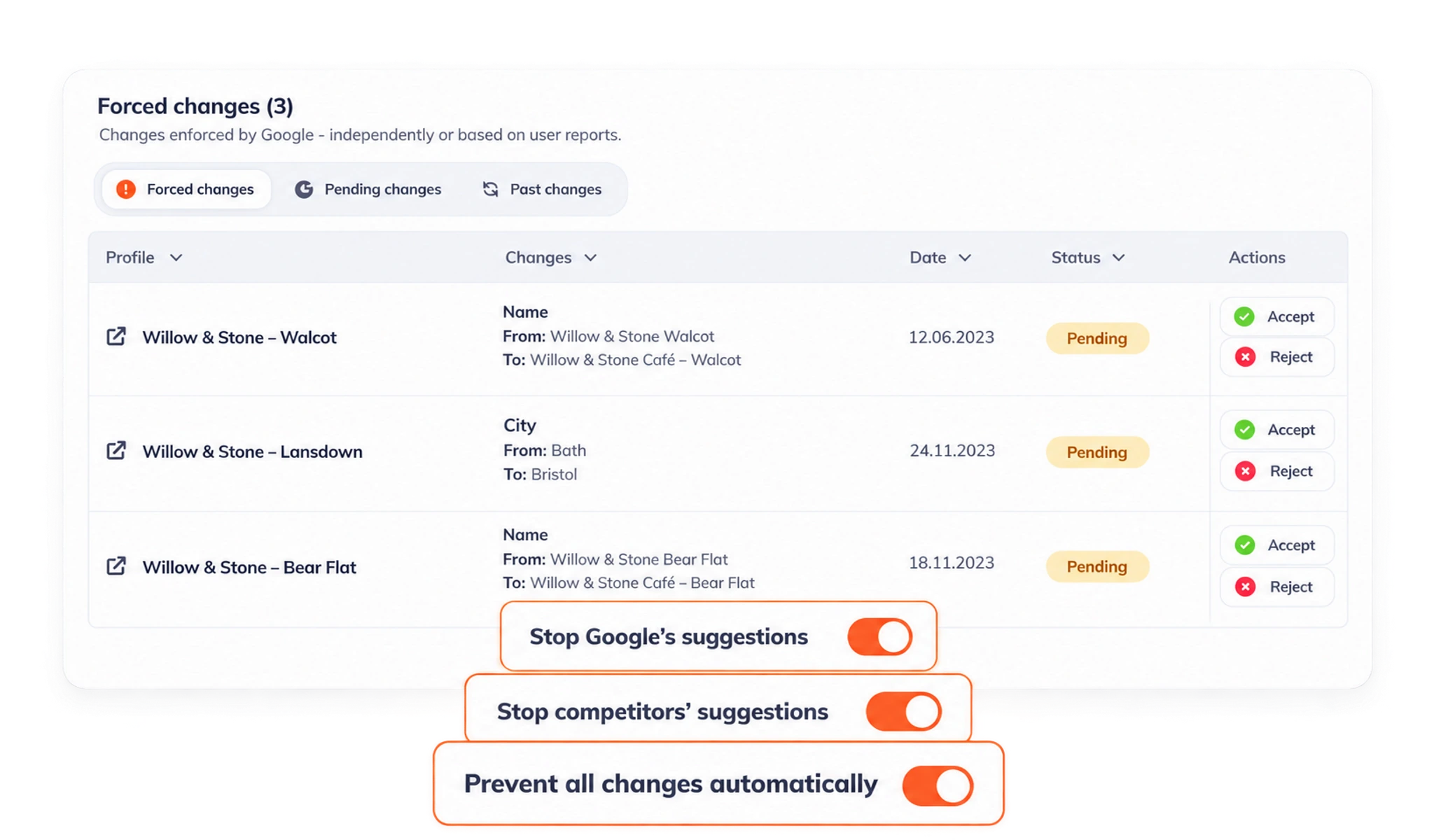
The dashboard lists every forced change to your listing with the old value, the new value, the date and its status, and gives you actions for each one. Three switches set how strict the protection is: you can stop suggestions from Google, stop suggestions from competitors, or stop all changes to the listing. Changes you block are undone automatically, and your original details go back on the listing.
Listing protection helps keep the details customers see correct, including your address and opening hours. It is one part of Google Business Profile management and does not replace the security of the Google account that manages your profile, so keep ownership permissions and account access up to date as well.
Around the clock
Unauthorized changes are undone automatically, whenever they happen.
Accurate details
Helps keep your name, address and opening hours correct without manual checks.
Automatic monitoring
Monitoring runs on its own and alerts you when your listing is modified.
Frequently asked questions
What is Google Business Profile monitoring?
Google Business Profile monitoring checks your listing for changes and alerts you when your business details are edited. It helps keep your business name, address and opening hours accurate.
Why can my Google Business Profile change without my approval?
Google can update business information using suggestions from users and other sources. Monitoring lets you notice those changes and check whether they are correct.
What do the listing protection settings do?
There are separate switches to stop suggestions from Google, stop suggestions from competitors or stop all changes. Blocked changes are undone automatically. The dashboard lists each forced change with the old and new value, the date, its status and the actions you can take.
What happens if Google changes my business hours or details?
Rating Captain Local changes them back to your original details and sends you an alert. The protection switches decide which edits are undone: suggestions from Google, suggestions from competitors or all changes.
Does listing protection replace account security?
No. Profile monitoring and account security do different jobs. Keep ownership permissions up to date and protect the Google account that manages your profile.
Have another question? Talk to our team.