Location Groups
Put Google Business Profiles into groups by region, brand or manager, track shared keywords across the group and report on it as one.
Track multi-location SEO in groups
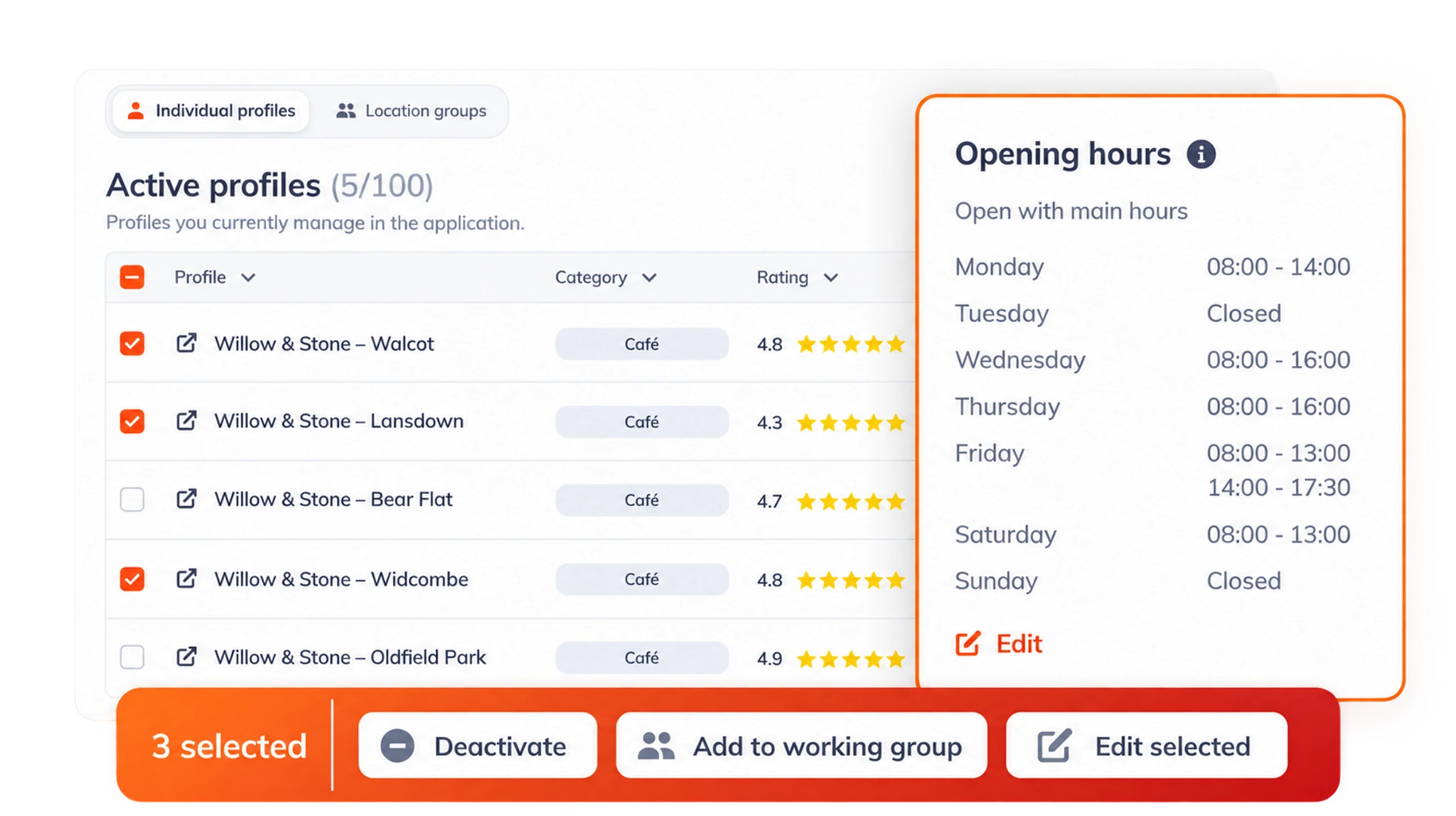
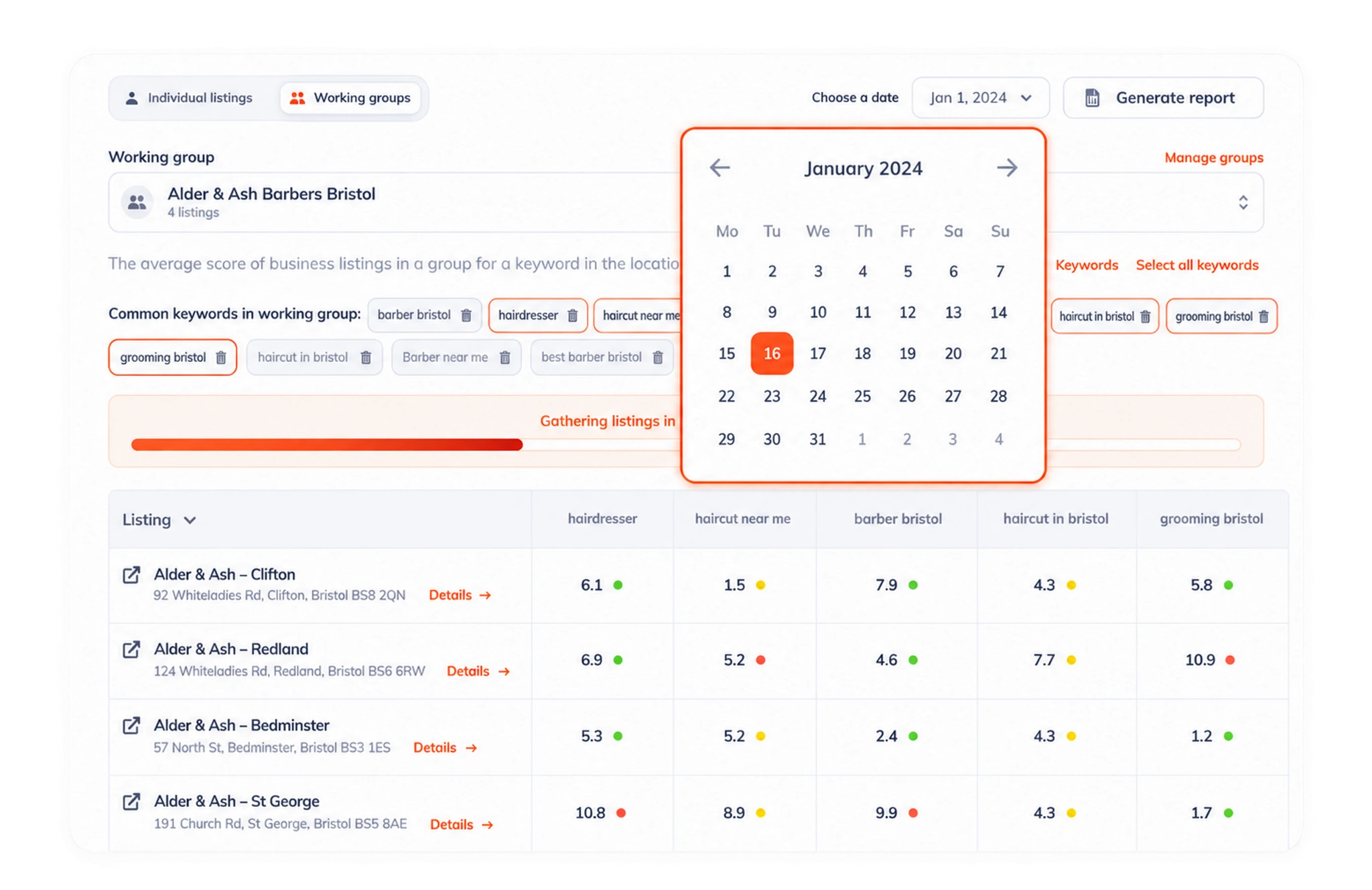
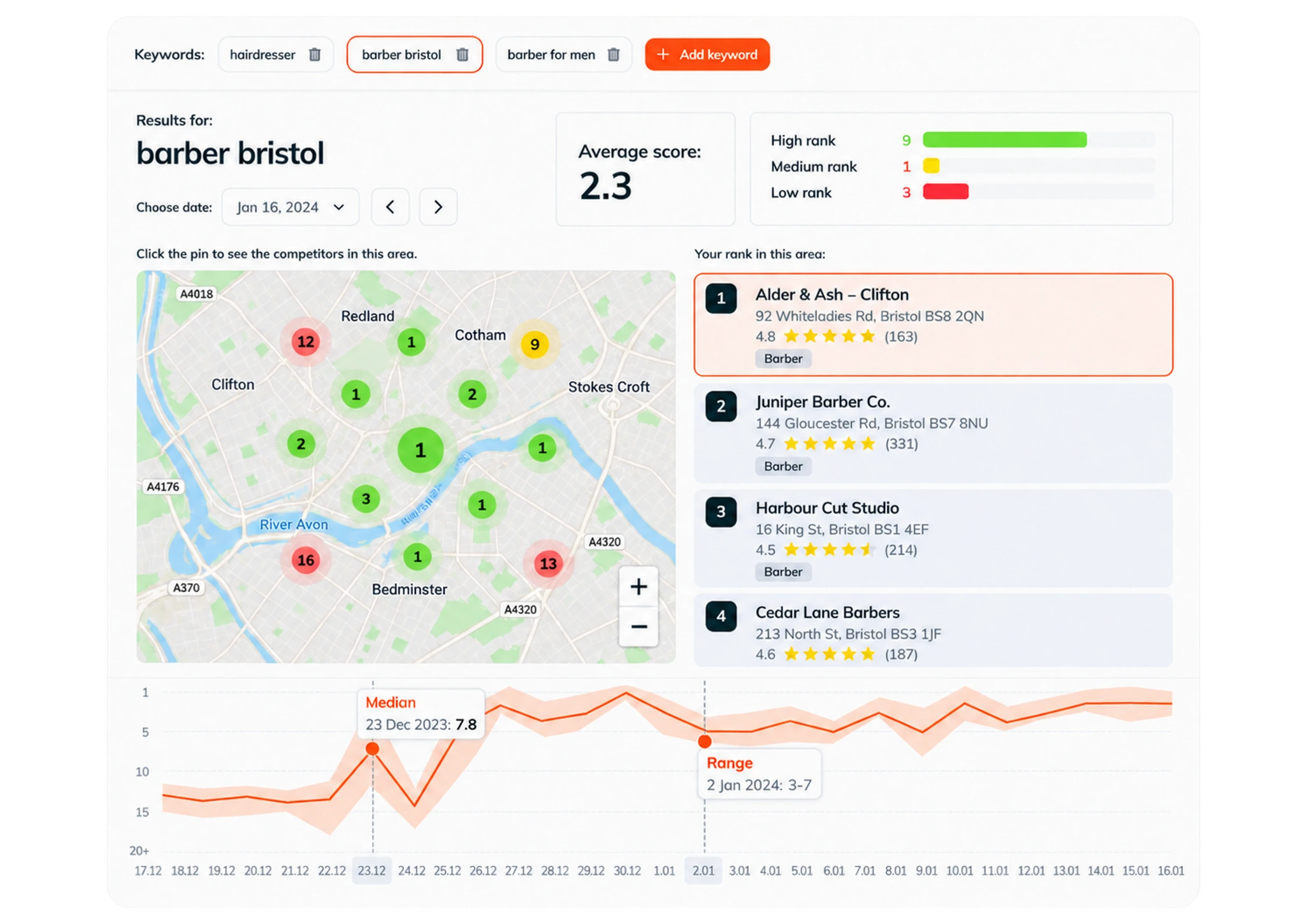
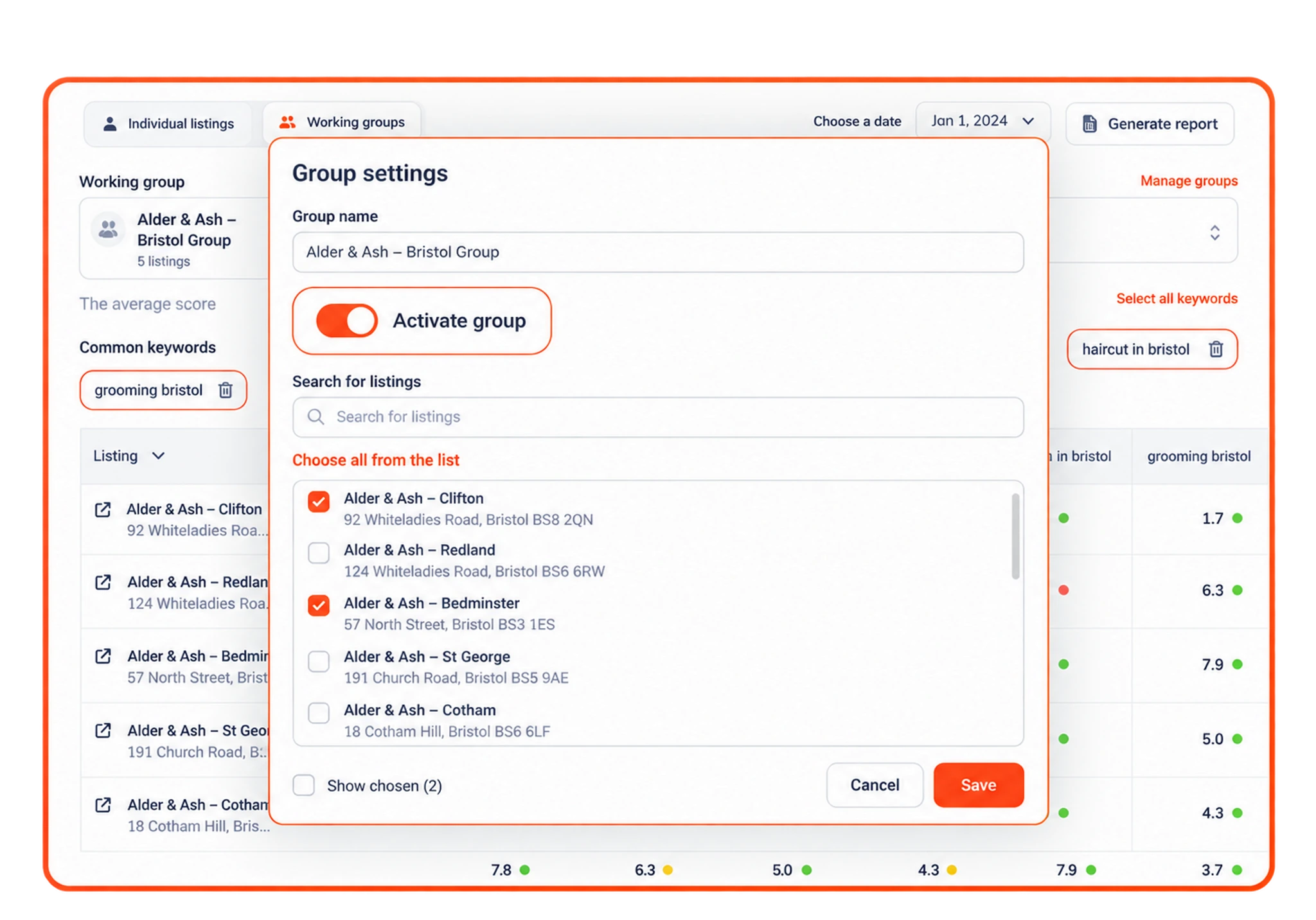
Location groups let a multi-location business organize its Google Business Profiles into working groups, for example by region, brand or the person responsible for them. Rating Captain Local then shows the listings in a group side by side, with the keywords they have in common and each location’s position for them.
Keywords added to a group apply to every location in it, so you set up tracking once for a whole region. You can compare the group’s average score, spot the location that is falling behind and generate a report for the group for any date.
Groups also control access. When you invite a colleague or a guest, you can limit what they see to particular groups, so a regional manager works only with their own locations. Deleting a group never deletes the locations in it; they simply become ungrouped.
Working groups
Organize listings by region, brand or manager.
Shared keywords
Track the same keywords across every location in a group.
Group reports
Compare locations and report on the group as a whole.
Team access
Give each manager access to their own group only.
Frequently asked questions
What is a location group?
A location group is a named set of Google Business Profiles, for example all branches in one region or under one brand, that you track, compare and report on together.
How do keywords work in a location group?
Keywords added to a group apply to every location in it, so you set up rank tracking once and see each location’s position for the same keywords side by side.
Can I give a manager access to only their locations?
Yes. When you invite a colleague or guest you can limit their access to particular groups or individual locations.
What happens to the locations if I delete a group?
Nothing is lost. The locations are simply removed from the group and stay in your account with their data.
How do you do local SEO for multiple locations?
Give every location its own complete Google Business Profile, keep names, addresses, phone numbers and hours the same everywhere, and track rankings for each location, because each one ranks in its own area. Location groups let you track shared keywords across all locations and compare them side by side.
Have another question? Talk to our team.